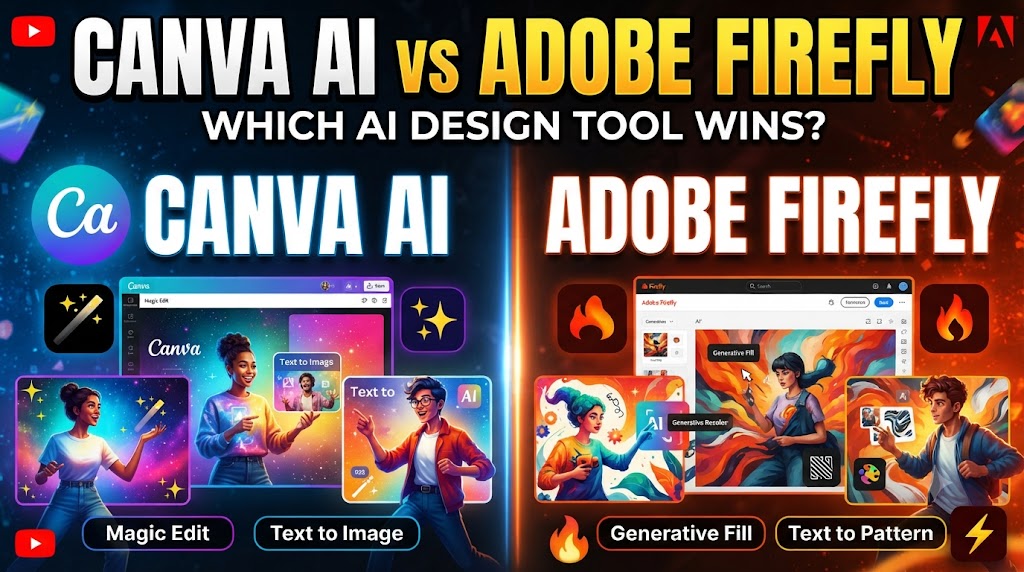
Canva AI vs Adobe Firefly
AI image tools have made it much easier to create graphics, illustrations, social media visuals, marketing images, and other digital content. Canva AI and Adobe Firefly are two popular options, but they approach AI-assisted design in different ways.
A Canva AI vs Adobe Firefly comparison is useful because Canva focuses heavily on simple design workflows, templates, editing, and content creation, while Firefly is closely connected with Adobe’s wider creative ecosystem. Canva’s Magic Media can generate images from text and let users choose styles, layouts, and reference images. Adobe Firefly also provides text-to-image generation, image-to-image tools, Generative Fill, and other creative AI features. (Canva)
Quick Comparison Table
| Feature | Canva AI | Adobe Firefly |
|---|---|---|
| Main focus | AI-assisted design and content creation | Generative AI for creative work |
| AI image generation | Yes | Yes |
| Text-to-image | Yes | Yes |
| Image-to-image | Available through Canva AI tools | Yes |
| Templates | Extensive Canva template ecosystem | Connected with Adobe creative tools |
| AI editing | Yes | Yes |
| Design editor | Integrated Canva editor | Integrated with Adobe ecosystem |
| Beginner friendly | Very beginner-friendly | Beginner-friendly, with more advanced creative options |
| Professional creative workflow | Strong for everyday design | Strong for professional Adobe workflows |
| Free access | Free plan with AI limits | Free plan with limited daily generations |
| Paid AI access | Higher AI allowance on paid plans | Paid plans use generative credits |
| Best suited to | Social posts, presentations, marketing graphics and quick designs | Creative professionals, image generation and Adobe workflows |
Canva AI vs Adobe Firefly: How Do They Work?
How Canva AI Works
Canva combines AI generation with its visual design editor. Its Magic Media tool can generate images from text prompts, while users can select styles, layouts, and reference images. Generated images can then be placed directly into Canva designs. (Canva)
Canva AI also goes beyond image generation. Its AI tools can help create designs, modify content, and work with existing projects. Canva AI 2.0 is designed as a conversational design partner that can perform multiple design actions from a prompt. (Canva)
This makes Canva useful when the goal is not simply to generate an image, but to create a finished design around that image.
How Adobe Firefly Works
Adobe Firefly is Adobe’s generative AI platform for creating and editing images, video, audio, and other creative content.
Its text-to-image tool turns written prompts into images. Adobe also provides image-to-image generation, allowing users to upload a reference image and use a prompt to change its style, lighting, mood, or composition. (Adobe)
Firefly is also connected to Adobe’s broader creative ecosystem, making it particularly relevant to users who already work with Adobe tools.
Canva AI vs Adobe Firefly for Image Generation
Both tools can create images from text prompts, but the overall workflow is different.
Canva’s Magic Media is designed to fit directly into a design workflow. Users can generate an image, choose a style and layout, and add the result to a Canva design. Canva also provides options to generate similar images from a selected result. (Canva)
Adobe Firefly’s text-to-image tool is more focused on generative image creation and creative control. Adobe says Firefly can create realistic images, illustrations, backgrounds, product visuals, and other styles from text prompts. (Adobe)
Practical Difference
If you need an AI-generated image for a poster, presentation, social post, thumbnail, or marketing design, Canva keeps the generation and layout work in one place.
If the image itself requires more detailed creative manipulation, Firefly offers a broader set of dedicated generative tools.
Canva AI vs Adobe Firefly for Ease of Use
Canva has traditionally focused on making graphic design accessible to beginners. Its editor combines templates, images, text, graphics, and AI tools in one interface.
Canva’s AI tools can also be accessed without first creating a design. Users can generate an AI image, sign in when required, and then download, share, or continue editing the result in Canva. (Canva)
Firefly is also designed to work with simple text prompts. However, its wider connection with Adobe’s creative ecosystem means that users can encounter more advanced creative workflows.
Therefore, the learning experience can depend on what you want to accomplish.
Canva AI vs Adobe Firefly for Editing
Canva provides AI-assisted editing within its design environment. This is useful when you want to generate an image and immediately place it inside a social post, presentation, advertisement, thumbnail, or other design.
Adobe Firefly provides more dedicated generative editing capabilities. Its image-to-image tool can use an uploaded image as a reference and change its visual characteristics using a text prompt. (Adobe)
Firefly also provides Generative Fill and Generative Expand among its standard generative features. (Adobe)
Which Workflow Is Simpler?
Canva is convenient when the complete design is being created in the same editor.
Firefly is useful when image generation and advanced generative editing are the central part of the workflow.
Canva AI vs Adobe Firefly for Design Templates
This is an important difference between the two tools.
Canva has a large template-based design ecosystem. Its Magic Design feature can analyze content and suggest layouts for presentations, social posts, videos, and documents. Users can then customize those designs with their own content and AI-generated material. (Canva)
Firefly is primarily a generative AI platform rather than a template-first design service.
As a result, Canva can be more convenient for someone who wants to start with a ready-made design structure and then add AI-generated content.
Canva AI vs Adobe Firefly for Professional Creative Work
Adobe Firefly has an important advantage in terms of its connection with Adobe’s professional creative ecosystem.
Adobe provides Firefly features across its creative products, while current Firefly plans can also include access to Photoshop on the web and mobile and Adobe Express Premium, depending on the plan. (Adobe)
Canva, on the other hand, is designed around an all-in-one visual design workflow. Canva Pro combines AI tools, templates, premium content, branding features, and other design capabilities. (Canva)
For a professional designer, the choice may therefore depend more on the existing workflow than on image generation alone.
Canva AI vs Adobe Firefly for Social Media
Canva is particularly practical for social media content because image generation can happen inside the same environment used for layouts, text, graphics, and publishing-oriented designs.
Canva’s Magic Media is intended for creating visuals for social posts, marketing, presentations, and other content. (Canva)
Firefly can also create images suitable for social media, but users may need additional design or layout work depending on the project.
For Social Media Creators
Canva can be convenient when you need to create the complete social media post, rather than only the image.
Firefly can be useful when the main requirement is generating or transforming the visual itself.
Canva AI vs Adobe Firefly for Commercial Use
Commercial use requires attention to the terms of each service.
Canva states that AI-generated images created with its AI features can be used for lawful purposes, subject to its AI Product Terms. Canva also warns that copyright ownership of AI-generated work can be unclear in many countries. (Canva)
Adobe describes Firefly as designed with safeguards intended to reduce intellectual-property risks. Adobe also says it provides IP indemnification for enterprise customers for content generated with Firefly, subject to the applicable terms. (Adobe)
These policies can change, so businesses should review the current terms before using AI-generated material commercially.
Canva AI vs Adobe Firefly: Free and Paid Plans
Both services provide ways to start without immediately buying a subscription.
Canva has a Free plan with AI access subject to usage limits. Canva’s current information says Free users can have up to 20 Standard or Premium AI uses, while paid plans provide higher AI allowances. (Canva)
Canva also offers AI Pass as an optional monthly add-on for eligible Pro and Business users who need a larger AI allowance. (Canva)
Adobe Firefly also has a free option with limited daily generations. Its current India plans include Firefly Standard at ₹797.68 per month including GST and Firefly Pro at ₹1,596.54 per month including GST, with different monthly generative-credit allowances. (Adobe)
Because plans, promotions, credits, and usage limits can change, it is better to check the current pricing page before subscribing.
Canva AI vs Adobe Firefly: Which Is Better for Beginners?
Canva is designed around a simple visual editor and ready-made templates. A beginner can generate an image and immediately use it inside a poster, presentation, thumbnail, social post, or other design.
Firefly can also be used with straightforward prompts, but its broader creative ecosystem provides more advanced possibilities.
For someone who wants an all-in-one design workflow, Canva provides a straightforward approach.
For someone who wants to explore generative image creation and Adobe’s creative tools, Firefly provides a different workflow.
Canva AI vs Adobe Firefly: Which One Should You Choose?
Choose Canva AI If:
- You want AI image generation inside a design editor.
- You regularly create social media posts.
- You need presentations, posters, thumbnails, or marketing graphics.
- You prefer templates and drag-and-drop editing.
- You want to combine AI images with text, graphics, and other design elements.
- You want a relatively simple design workflow.
Consider Adobe Firefly If:
- AI image generation is a major part of your creative work.
- You want image-to-image generation and generative editing.
- You already use Adobe creative products.
- You want to work with Adobe’s broader creative ecosystem.
- You need advanced generative features for professional creative projects.
Canva AI vs Adobe Firefly: Which AI Image Tool Is Better?
The answer depends on the type of work you want to do.
Canva AI combines AI generation with templates, layouts, editing, and other design tools. Its Magic Media feature can generate images and graphics directly within the Canva workflow. (Canva)
Adobe Firefly puts greater emphasis on generative AI and creative editing. It supports text-to-image, image-to-image generation, Generative Fill, and other AI-powered creative features. (Adobe)
So, rather than treating one tool as universally better, consider the actual workflow. Canva can be suitable when you want to turn an AI-generated image into a complete design quickly. Firefly can be suitable when image generation, transformation, and Adobe-based creative work are more important.
Conclusion
Canva AI and Adobe Firefly are both useful AI image tools, but they serve somewhat different purposes.
Canva combines AI with an all-in-one design platform, making it practical for social media content, presentations, marketing graphics, thumbnails, and everyday visual projects.
Adobe Firefly focuses more strongly on generative AI and integrates those capabilities into Adobe’s creative ecosystem. Its text-to-image and image-to-image tools provide options for generating and transforming visual content. (Adobe)
Your choice should therefore depend on whether you need a complete design platform with AI or a generative AI platform closely connected to professional Adobe creative tools.
Disclaimer
AI features, models, pricing, credits, usage limits, availability, commercial-use terms, and copyright rules can change over time. The information in this comparison is based on currently available official information and may change after publication. Always check Canva and Adobe’s latest official terms, plans, and usage policies before subscribing or using AI-generated content commercially.